Viewing XSD Schemas in Confluence: Interactive Diagrams and Tables
Render XSD schema files as interactive diagrams and flat tables directly in Confluence pages, with all processing handled client-side in the browser.
Originally posted in the Atlassian Community forums.
I'm part of the team at Eulo Labs that built this app.
XSD (XML Schema Definition) files define the structure of XML documents, but reviewing them in their raw form is tedious. Schemas can be deeply nested, with complex type hierarchies and cross-references that are difficult to follow in a text editor—let alone during a documentation review in Confluence.
XSD Viewer for Confluence adds two macros that render .xsd attachments directly in your pages, so teams can review and discuss schemas without leaving Confluence.
Two Ways to View a Schema
Type /xsd in the Confluence editor to insert either macro:
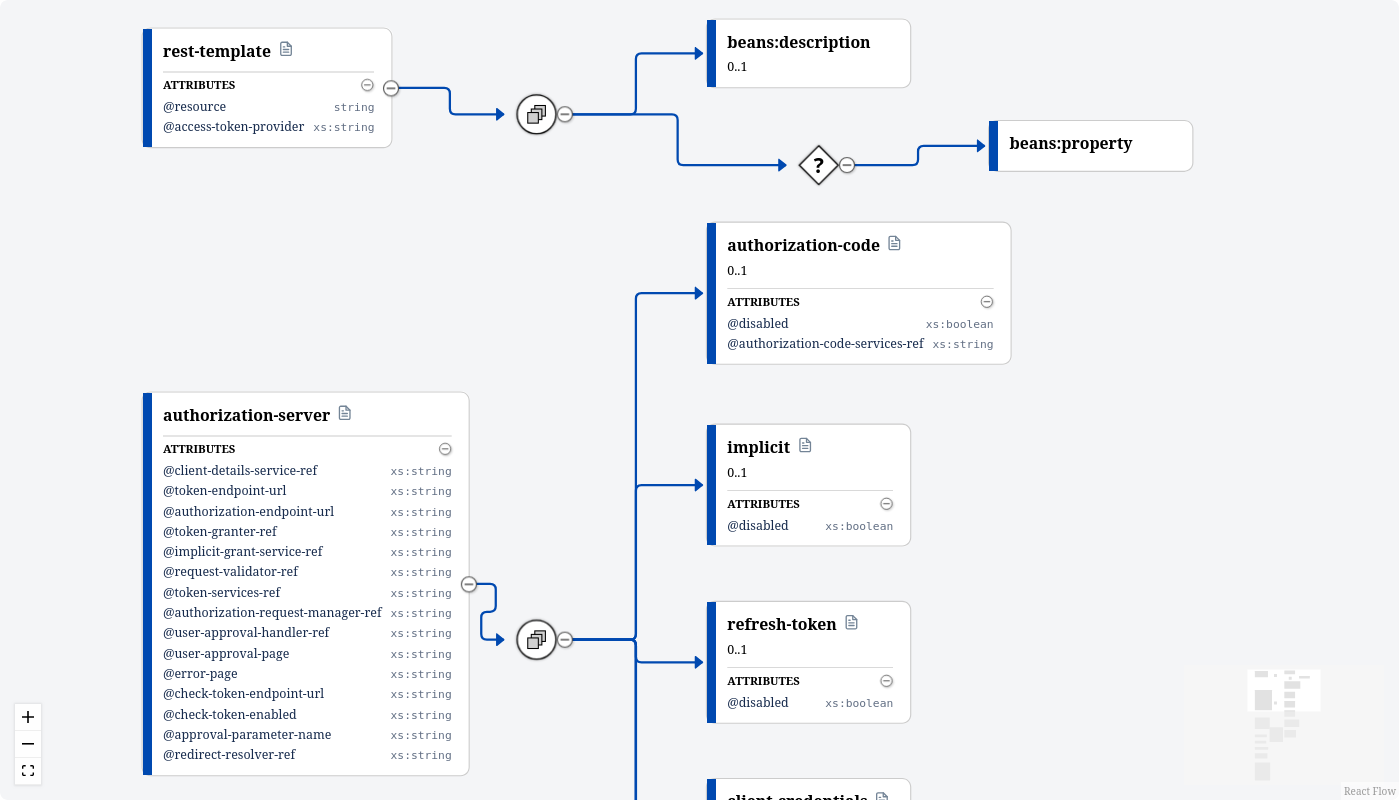
- XSD Viewer — renders an interactive diagram of the schema's type hierarchy.
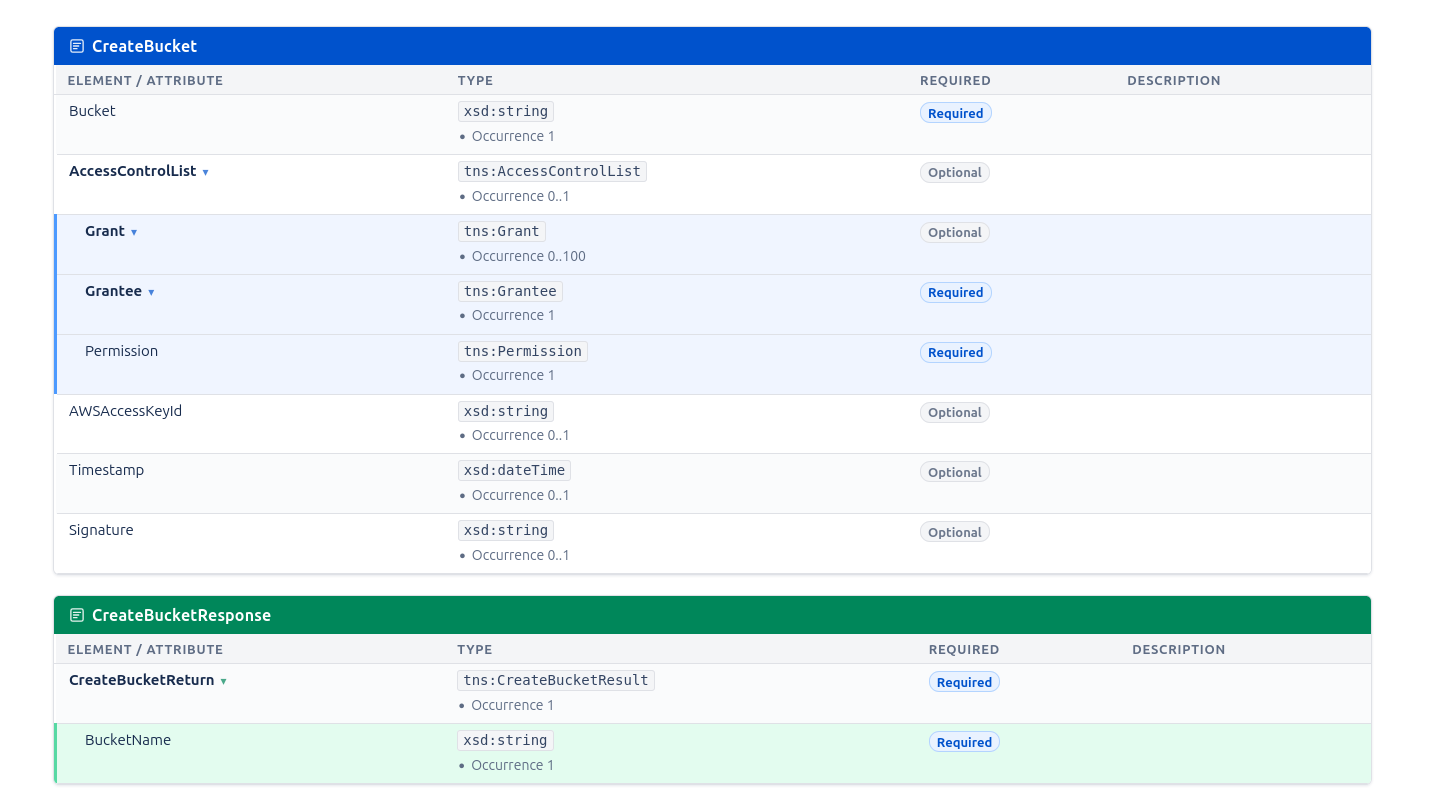
- XSD Table — renders a flat table showing elements, attributes, types, and occurrence constraints.
Both macros let you search and select XSD attachments from the current page or any other page in the space.
Key Features
- Interactive diagram with zoom, pan, and expand/collapse for navigating complex schemas
- Click any element in the diagram to view its underlying XML definition
- Flat table view for a quick reference of elements, types, and constraints
- Attachment picker to search and select XSD files from any Confluence page
Privacy
All schema parsing and rendering happens client-side in the browser. Your XSD files are never sent to external servers. The app runs on Atlassian Forge ("Runs on Atlassian"), so data stays within the Atlassian environment.
Available on the Atlassian Marketplace: XSD Viewer for Confluence.
Documentation is at eulo.dev/docs/xsd-viewer-for-confluence.
If you have questions or feature requests, reach out at support@eulo.dev or our Help Centre.