
Map Viewer for Bitbucket
Interactive map previews for Bitbucket Cloud repositories. View GeoJSON and TopoJSON files directly in your browser.
Getting Started
The Map Viewer for Bitbucket app automatically enables interactive map capabilities for supported location data files in your Bitbucket Cloud repositories. Once installed, the app works seamlessly whenever you navigate to a supported file.
Supported File Types
- GeoJSON – .geojson, .json (with geo data)
- TopoJSON – .topojson, .json (with topology data)
Looking for File Support?
For CSV, PDF, and other formats, check out our File Renderers for Bitbucket app.
Installation
Install the Map Viewer for Bitbucket app using the install link.
You need to be the admin of the Bitbucket workspace to install the app.
Why install via a direct link?
Bitbucket Cloud is transitioning to a new app framework (Forge). During this period, apps are distributed via direct installation links while the Atlassian Marketplace is being updated. Learn more about this update.
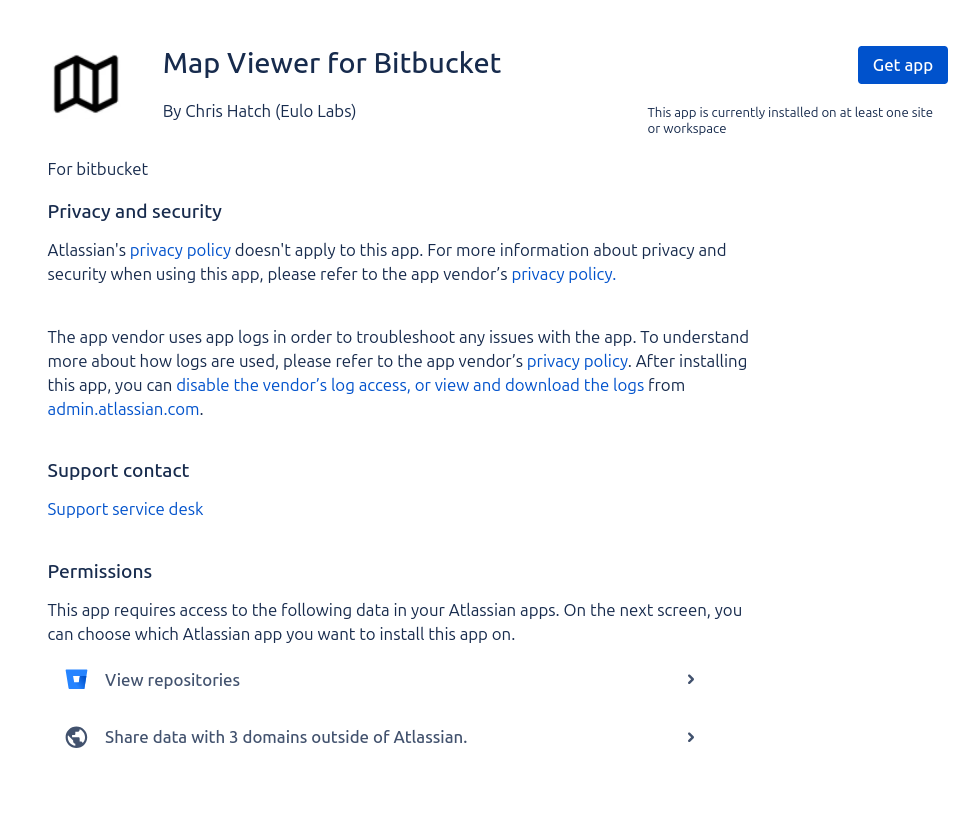
1. Grant Access
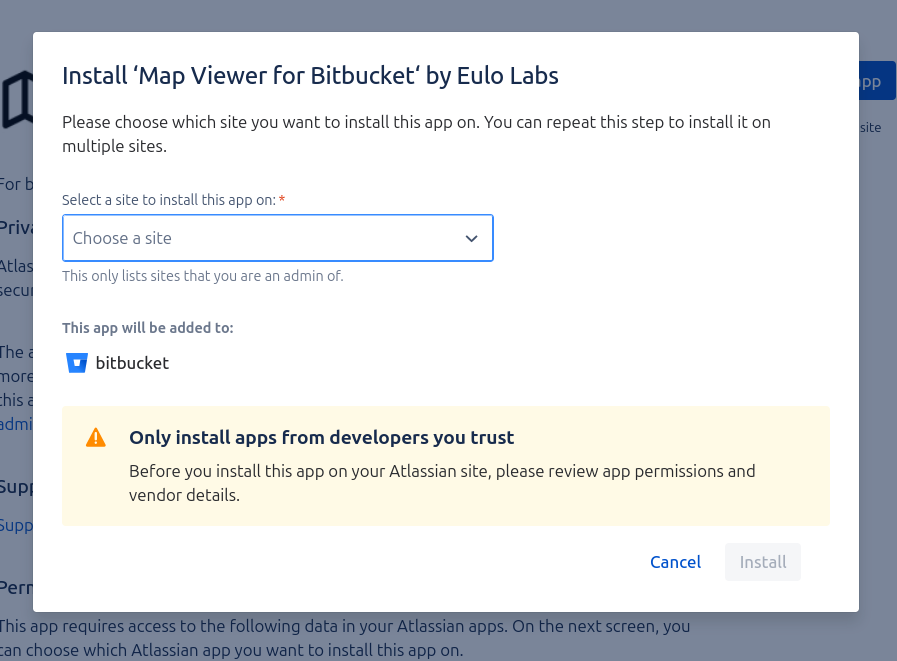
2. Confirm Installation
Selecting the Viewer
When viewing a supported map file in Bitbucket, you can switch between the default Bitbucket view and the Map Viewer using the dropdown menu at the top of the file preview.
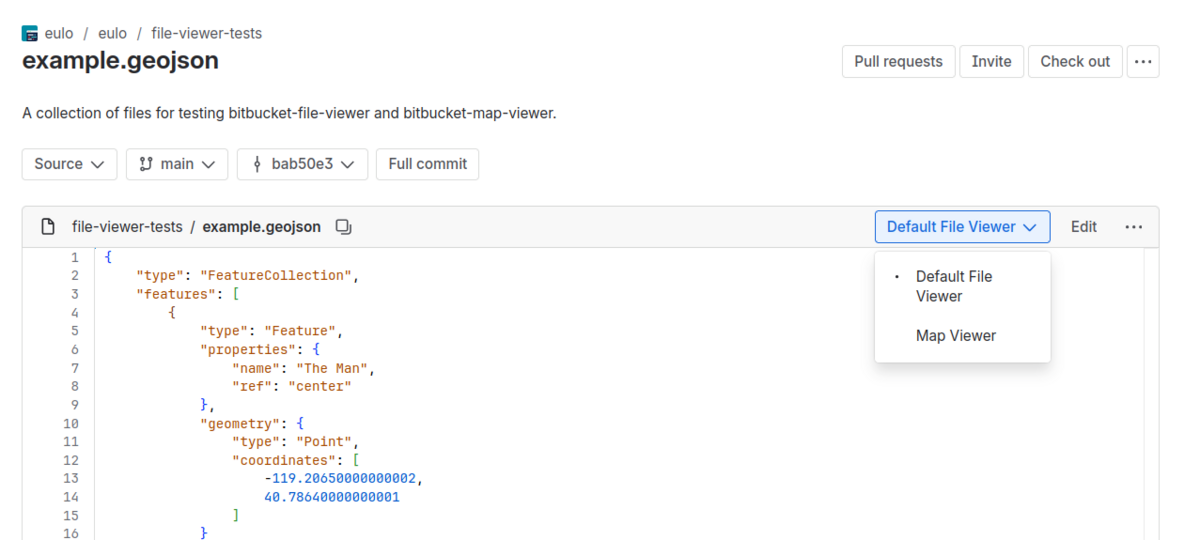
How to Select the Viewer
- Navigate to a supported file – Open any GeoJSON or TopoJSON file in your repository.
- Look for the viewer dropdown – At the top of the file preview (see screenshot above), you'll see a dropdown menu showing the current viewer.
- Select the Map Viewer option – Click the dropdown and choose the appropriate viewer to switch to the interactive map view.
Then you should see the file rendered like below.
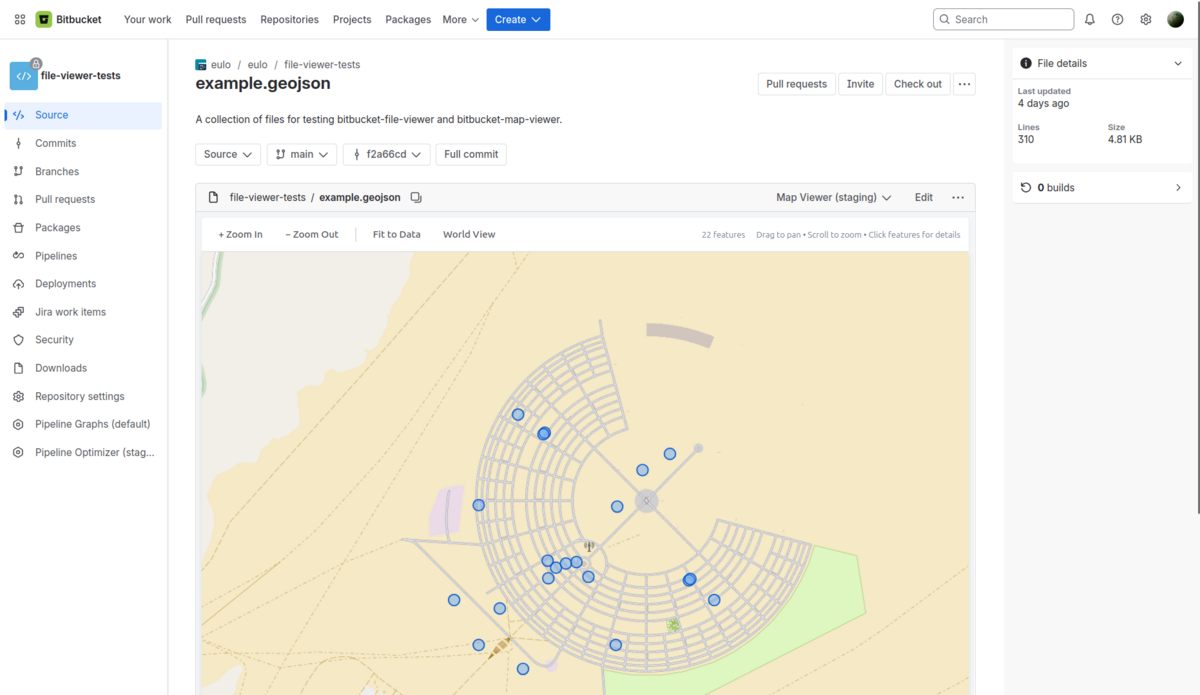
GeoJSON & TopoJSON
Visualize your location data with fully interactive maps. The viewer renders GeoJSON and TopoJSON files using standard web mapping technologies.
Features
- Interactive Interface – Zoom, pan, and explore your map data intuitively.
- Feature Inspection – Click on map features to view their associated properties and data.
- Layer Management – Toggle different layers if your data supports it.
Support
Need help? We're here to support you. Whether you have a question about features, need assistance with configuration, or want to request a new supported file type, please don't hesitate to reach out.
Ready to improve your Bitbucket experience?
Follow our installation guide to add Map Viewer to your workspace.