
XSD Viewer for Confluence
Visualize XML Schema Definitions directly in your Confluence pages. Navigate complex schemas with interactive diagrams and zoom controls.
Understand your schemas at a glance
Try it Free RUNS ON ATLASSIAN
Interactive Schema Visualization
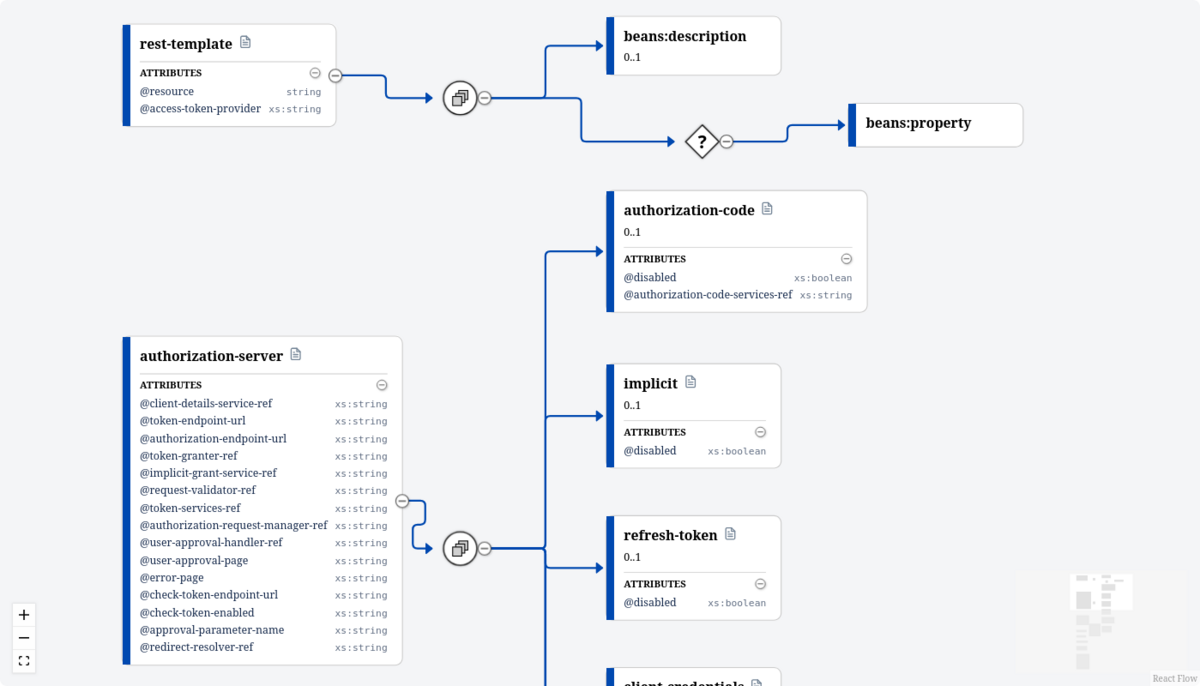
Transform complex XSD files into clear, navigable diagrams. No more squinting at raw XML or struggling to understand nested type hierarchies.
- Visual diagram of schema elements and types
- ✓Click elements to navigate and explore details
- ✓Clear type relationships and inheritance
Simple Configuration
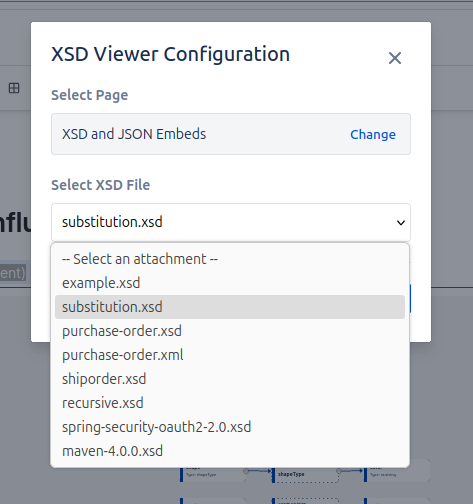
Just type /xsd in your Confluence page to insert the macro. Search for a page by typing 3 letters in the name. Then Select any XSD or XML file attached to your page.
- ✓Search and select attachments from any page
- ✓Supports XSD and XML schema files
- ✓View the underlying XML by clicking on an element
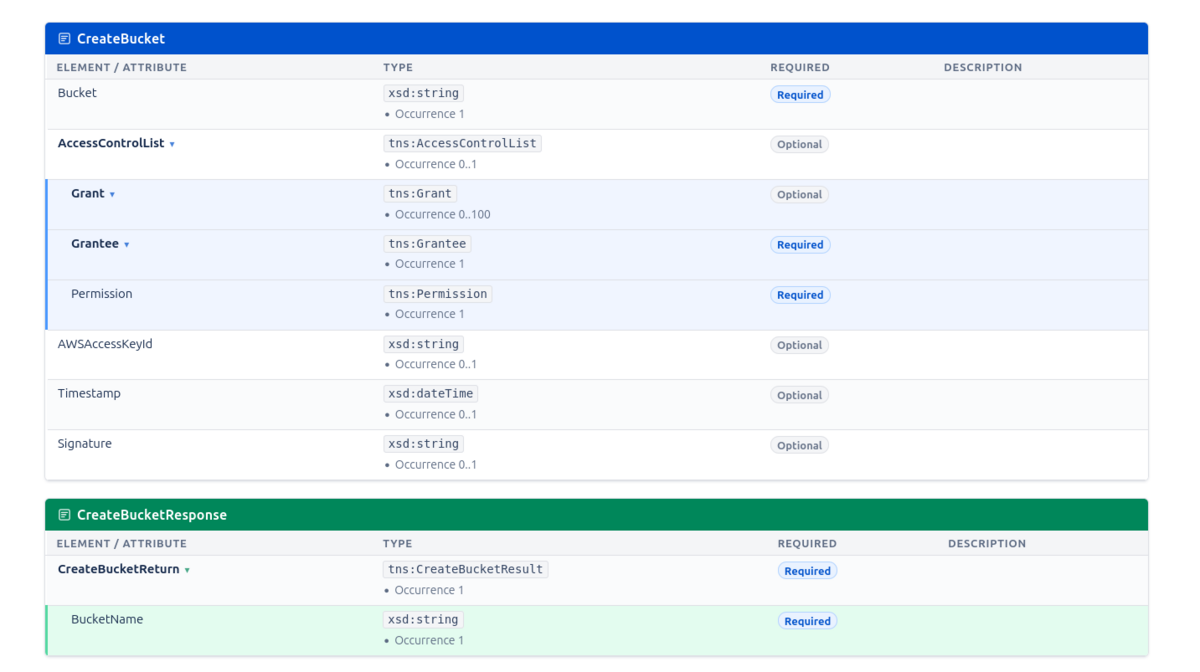
Flat Table View
View your schema in a comprehensive flat table layout. Information is neatly arranged into sections, making it easy to find all elements and attributes at a glance.
- ✓Accessible flat table view
- ✓Logically arranged into sections
- ✓Quickly find all elements and attributes
Your Schemas Stay Private
All XSD processing happens directly in your browser. Your schema files are never transmitted to or stored by Eulo Labs. We only request read-only permissions to access your attachments.